
EseeCloud connects to IP cameras and recorder kits so you can watch live video on a desktop or mobile device. Choose your platform below. The Windows client is hosted on this site, and the mobile apps come from the official stores.
EseeCloud 3.0.8.4 for Windows
The desktop client for Windows PCs, often called EseeCloud CMS. It shows your cameras on a large screen and plays back recordings. Free for private use.
| Version | 3.0.8.4 |
| File | EseeCloud_Setup_3.0.8.4.exe |
| Size | 99.5 MB |
| Price | Free |
How to install EseeCloud on a PC
- Run the downloaded file EseeCloud_Setup_3.0.8.4.exe.
- Select the display language.
- Accept the agreement and choose the installation folder.
- When the setup has finished, start EseeCloud, log in and add your camera or recorder.
The Getting Started guide explains the first steps after the installation.
EseeCloud mobile apps
EseeCloud for Android
The Android app is installed from Google Play, which always delivers the latest version. According to the store listing it needs Android 5.1 or later.
EseeCloud for iPhone and iPad
The iOS app is installed from the App Store. It is free and offers optional in-app purchases for cloud video plans.
| Version | 4.15.1 |
| Size | 483.4 MB |
| Requires | iOS 15.0 or iPadOS 15.0 or later |
| Price | Free, with in-app purchases |
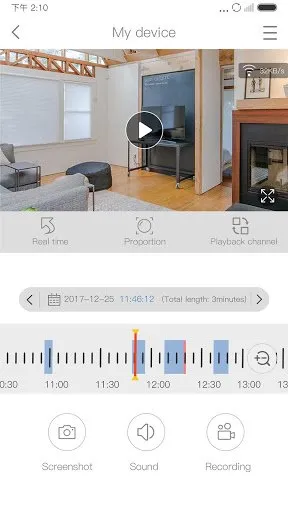
EseeCloud manual
The user manual explains the setup and the main functions step by step. You can download the EseeCloud manual (PDF, 1.8 MB) here.